How to Use Google Business Profile to Increase Local Visibility?
In today’s digital first marketplace, local customers rely heavily on online searches to discover nearby businesses. Whether someone is looking for a café, a legal consultant, a clinic or a retail store, the first place they usually turn to is Google Search or Google Maps. This is where Google Business Profile (GBP) becomes a powerful tool. When optimised correctly and used in line with Google’s official guidelines, a Google Business Profile can significantly improve your local visibility, attract high intent customers and build trust in your brand.
This blog explains what Google Business Profile is and how businesses can use it strategically without violating Google policies to strengthen their local presence and customer engagement.
What Is Google Business Profile?
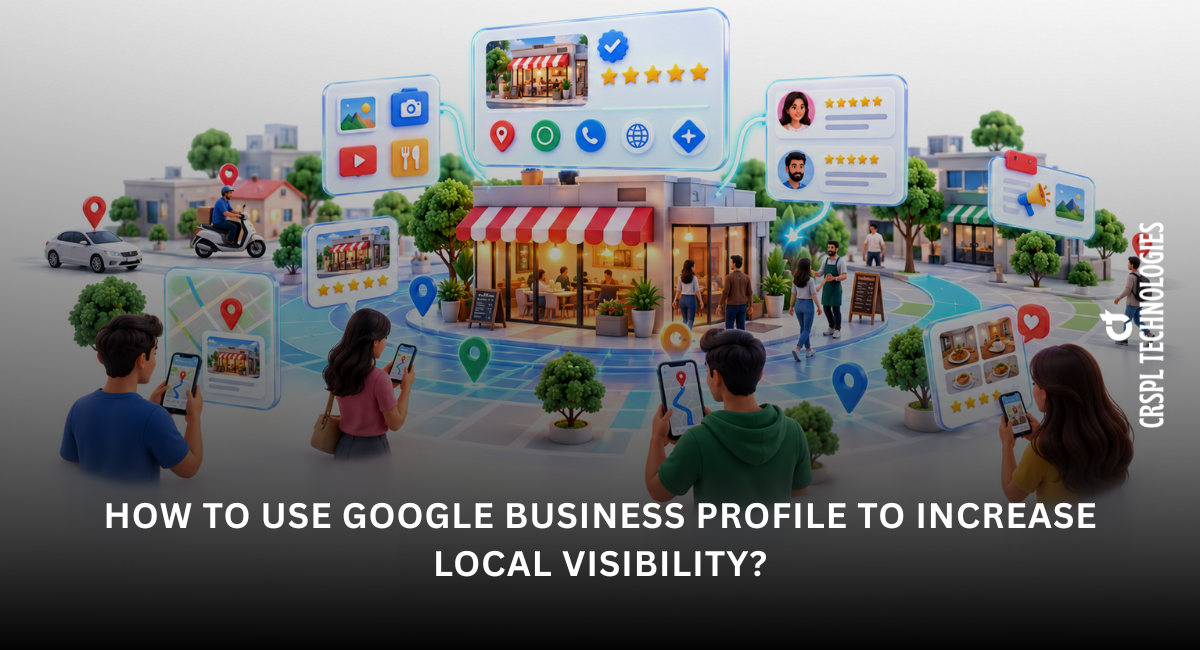
Google Business Profile is a free tool which is provided by Google that allows eligible businesses to manage and operate how they appear on Google Search and Google Maps. It displays essential information such as your business name, address, contact details, operating hours, website link, customer reviews, photos and directions.
A well maintained Google Business Profile increases the chances of appearing in the local search results, particularly in the Local Pack, the map based listings displayed prominently for location specific searches.
Important: Google Business Profile is mainly intended for the businesses with a physical location that customers can easily visit or for those that offer services directly at the customer’s premises. Businesses that operate exclusively online are typically not eligible.
Why Google Business Profile Matters for Local Visibility?
Local searches often indicate strong intent. Users searching for services “near me” are typically ready to call, visit or make a purchase. Google Business Profile helps businesses: -
- Appear in relevant or related local search results and Google Maps listings
- Increase foot traffic, calls and enquiry requests
- Build credibility through reviews and accurate information
- Compete effectively with larger or more established brands in the same locality
Optimising your profile helps Google better understand your business and match it with the most relevant local searches.
Step by Step Guide to Using Google Business Profile Effectively
1. Create and Verify Your Business Profile
The first step is to claim and verify your Google Business Profile. Verification confirms that you are the legitimate or real owner or authorised representative of the business. Google may verify your profile through a postcard, phone call, email or video verification process.
Only verified businesses are eligible to appear fully in local search results and on Google Maps.
2. Optimise and Maintain Accurate Business Information
Providing complete and accurate information is essential for both customer trust and local search visibility. Ensure that the following details are correct and regularly updated: -
- Business name (exactly as per official records—no extra keywords)
- Address and service area
- Phone number and website URL
- Business hours, holiday hours and special closures
Consistency between your Google Business Profile and various other online platforms (such as your website and directories) strengthens credibility and improves local search performance.
3. Choose the Right Business Categories
Choosing appropriate business categories helps Google to understand what your business offers and when to display it in search results. Your primary category has the greatest impact on visibility, so it should accurately reflect your core service.
4. Add High Quality Photos and Videos
Visual content remarkably influences the customer engagements. Google encourages various businesses to upload photos and videos that accurately represent their operations. Recommended uploads include: -
- Exterior and interior photos
- Product or service images
- Team, office or workplace photos
- Short videos showcasing services or customer experience
Regularly updating visual content signals activity, professionalism and authenticity to both users and Google.
5. Write a Clear and Compliant Business Description
The business description allows you to explain what you do, your key services and what differentiates you from competitors. Use clear, informative language and naturally incorporate relevant keywords.
Avoid keyword stuffing or promotional exaggeration. Google recommends descriptions that are factual, customer focused and easy to understand.
6. Encourage and Manage Customer Reviews Responsibly
Customer reviews play a major role in local trust and engagement. While reviews are not something businesses can control, they can encourage satisfied customers to share honest feedback.
Always respond professionally to the reviews, both positive and negative. Thoughtful responses demonstrate accountability, customer care and transparency, which can influence prospective customers.
Avoid offering incentives for the reviews, as this may violate Google’s review policies.
7. Publish Regular Posts and Updates
Google Business Profile permits businesses to publish relevant updates, offers, announcements and events directly on their profile. These posts help keep your listing active and informative as well.
Regular posting can easily improve the customer engagement and signal to Google that your business is current and relevant
8. Use the Q&A Feature to Improve Customer Experience
The Q&A section allows customers to ask questions directly on your profile. Monitor this feature regularly and provide clear, accurate responses.
You may also add frequently asked questions yourself to address common concerns in advance, helping potential customers make quicker decisions.
9. Track Insights and Optimise Continuously
Google Business Profile provides built in insights that show how customers find and interact with your listing. These insights include: -
- Search queries used to discover your business
- Calls, website visits and direction requests
- Photo views and engagement levels
Reviewing this data helps identify strengths, uncover gaps and refine your optimisation strategy over time.
| Read More: How Social Media Marketing Has Evolved in the Modern Digital Era? |
Conclusion
Google Business Profile is one of the most effective and cost efficient tools for improving local visibility when used in accordance with Google’s guidelines. While it is not a substitute for a complete local SEO strategy, it plays a central role in helping businesses appear in relevant local searches.
By maintaining accurate information, data, engaging with customers through reviews and posts, monitoring insights and avoiding policy violations, businesses can turn their Google Business Profile into a reliable driver of local growth and customer trust. In a competitive local marketplace, consistent and compliant profile management provides a clear and sustainable advantage. If you need assistance then do contact to CRSPL Technologies, for any digital marketing solution.